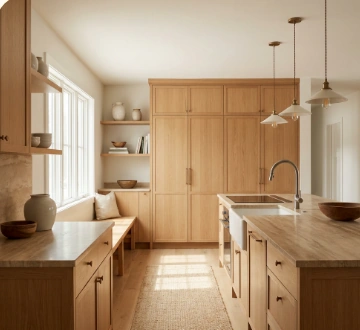
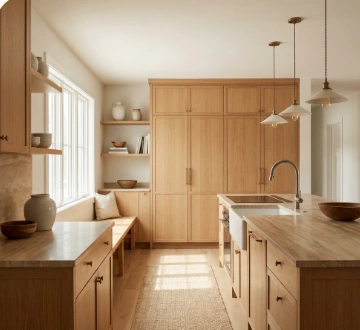
Lighter kitchen with cleaner circulation
Compare a stronger kitchen direction before cabinets, counters, lighting, and appliances are ordered.
ProRemodelAI
Upload the room you actually have and compare layout, cabinetry, storage, tile, and lighting directions before demolition or orders.
Compare a stronger kitchen direction before cabinets, counters, lighting, and appliances are ordered.
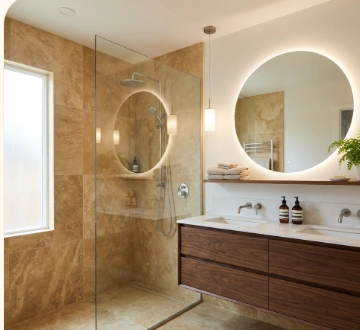
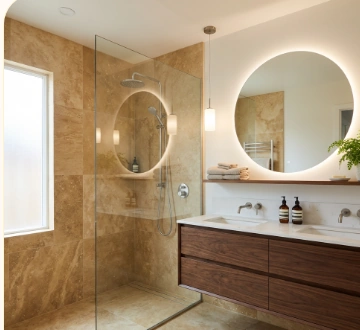
Explore how layout, tile, vanity, and lighting choices work together on the actual room.
Design gallery
Browse the concepts, compare the looks, and follow the directions you want to study more closely.
Study 01
Study 02
Use the existing room to compare layout and finish directions before drawings, bids, or orders.
Step 01
Start with the actual space so walls, windows, circulation, and awkward constraints stay visible.
Step 02
Call out layout goals, cabinetry, counters, tile, storage, fixtures, or lighting so the comparison stays tied to real scope.
Step 03
Generate a few options, react to what improves flow and storage, and drop the ideas that would not survive bidding or daily use.
Best when you need to compare layout, storage, and finish combinations without rewriting the brief every time.
Compare cabinetry runs, fixture placement, storage walls, and how the room actually moves once the work is done.
Try flooring, counters, tile, paint, hardware, lighting, and built-in palettes on the same room photo.
Keep each concept anchored to the existing room so remodel decisions stay tied to what can realistically change.
Remodel concept packs
Buy only what you need to compare layout, storage, and finish directions on the real room. One credit generates one image and stays valid for 12 months.
Try a few directions

$9.99
for 25 credits
Perfect for comparing a few layout and finish directions before you narrow scope.
Stress-test more options
$19.99
for 75 credits
Ideal for homeowners, designers, and remodelers evaluating multiple room directions or finish combinations.
Straightforward credit packs for testing layout and finish decisions before demolition, bids, or material orders.
Every generated room concept uses exactly one credit.
Use credits for fresh remodel directions or tighter revisions using the same reference photo.
Reference photos are free to upload and do not consume credits.
Your credits stay available for a full year after purchase.
Example: 4 room studies compared = 4 credits
Final step
Upload the room, compare a few directions, and move forward with the layout and finish decisions that still make sense after the first excitement wears off.
Start with your room